SpaceCraft
SpaceCraft is a unified system designed to organize inspiration, creative stages, documentation, and project management.

The Problem
This is how a textile designer’s creative process often ends up.
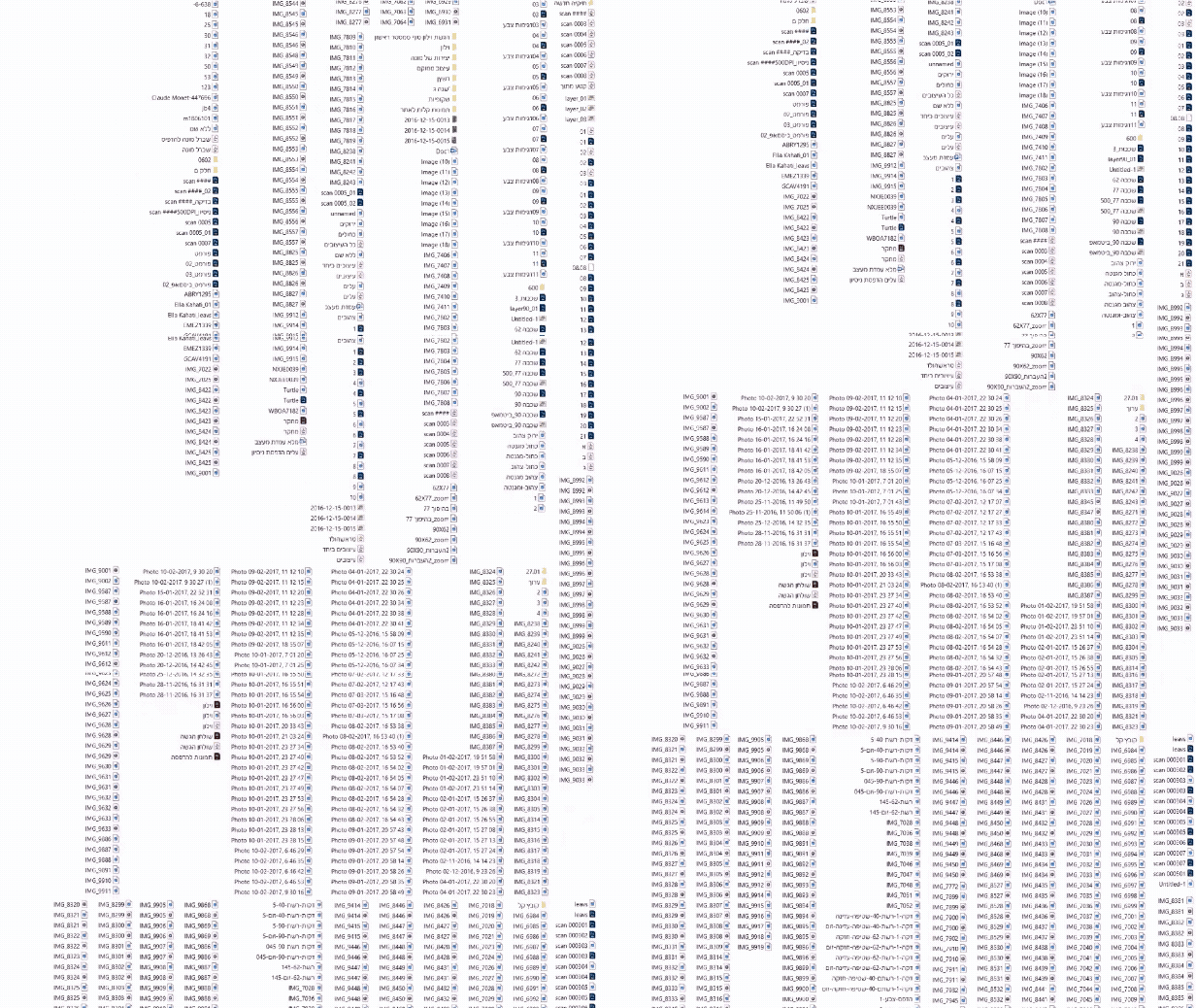
“ It often takes me a long time to write down how many products there are because it's hard for me to keep track of everything.”
The Solution
SpaceCraft is a professional workflow platform for textile designers to:
Track The Process
Check - Continuous examination over time - to see what is progressing, what is delayed, and what has changed.
Document Steps & Phases
To keep - Recording or preserving information, materials, or steps in a process. Focuses on the past and present.
Manage A Creative Process
Direct - overall control of the process - decision-making, forward planning, prioritizing tasks. Includes both documentation and tracking.
Work In A Centralized Location
Bring all materials, documentation, and project data into one shared space. This ensures that everything you need is accessible
The Research
Tools & Participants
Online survey
12 Female
30-37
Textile Designer
Core Pain Points
“There is no single software that serves the entire production process. Financial management, etc.”
67%
Want a Tool to share their work process.
“To write, to document, when I need to stop in the middle of work and deal with theoretical matters”
100%
Don't have a tool to help them understand if the project was profitable.
Key Insights
Moodboard is a constant creative anchor
100%
Work with an open moodboard during the process.
67%
Continue adding materials after the design process has started.
Documentation is valued - but inconsistent
86%
Use digital tools during the process.
Yet working hours aren’t tracked and there’s no easy way to share the process.
This reveals a clear gap : while designers invest heavily in digital tools, there is no structured way to document, understand, or share the process around it.
Benchmark
The selected tools were chosen based on their relevance to designers’ workflows, combining creative work with office and project management needs.

Although current tools address parts of the workflow, they fail to support textile designers’ workflow in creative and documentation.
Goals
Workflow Adaption
Designers consistently adopt a unified workflow. It feels intuitive and supports their creative process.
Multi Project Management
Designers manage multiple projects with clarity and focus. Work stays organized across projects.
Time Reduced
Designers minimize time loss throughout the creative process. Less effort is spent searching, rewriting, and tracking progress.
Persona

Maya Cohen, 35
Textile designer and fashion collaborator.
Pain Points:
-
No centralizes tool for the workflow.
-
Difficulty integrating digital tools with a physical creative flow.
-
Unclear requirements when submitting work to exhibitions and fairs.
Motivations:
-
Maintaining balance between inspiration and management.
-
Saving time in order to focus on creation.
-
Conveying professionalism and organization to clients and colleagues.
“The lack of a unified workflow forces me into constant context-switching and loss of focus, it’s very frustrating. I’m losing time and money”
User Flow
On her way to work, Maya notices a leaf whose color & texture align perfectly with her Project.
Style Guide
Typography
Color Palette
Primary
#604B68
#D5CAEC
Natural
#484848
#5A5A5A
#757575
#A4A4A4
#E3E3E3
State
Error
#D7554D
Info
#275DAD
Outcome
Capture Inspiration
Images - with context - sync instantly into SpaceCraft’s Photos Warehouse, becoming part of the structured workflow.


Photos Warehouse
The main workspace where creative and administrative processes come together.
Images collected and captured throughout the creative process are organized into a photos warehouse, allowing designers to return to them at any stage of the project - not just during research.
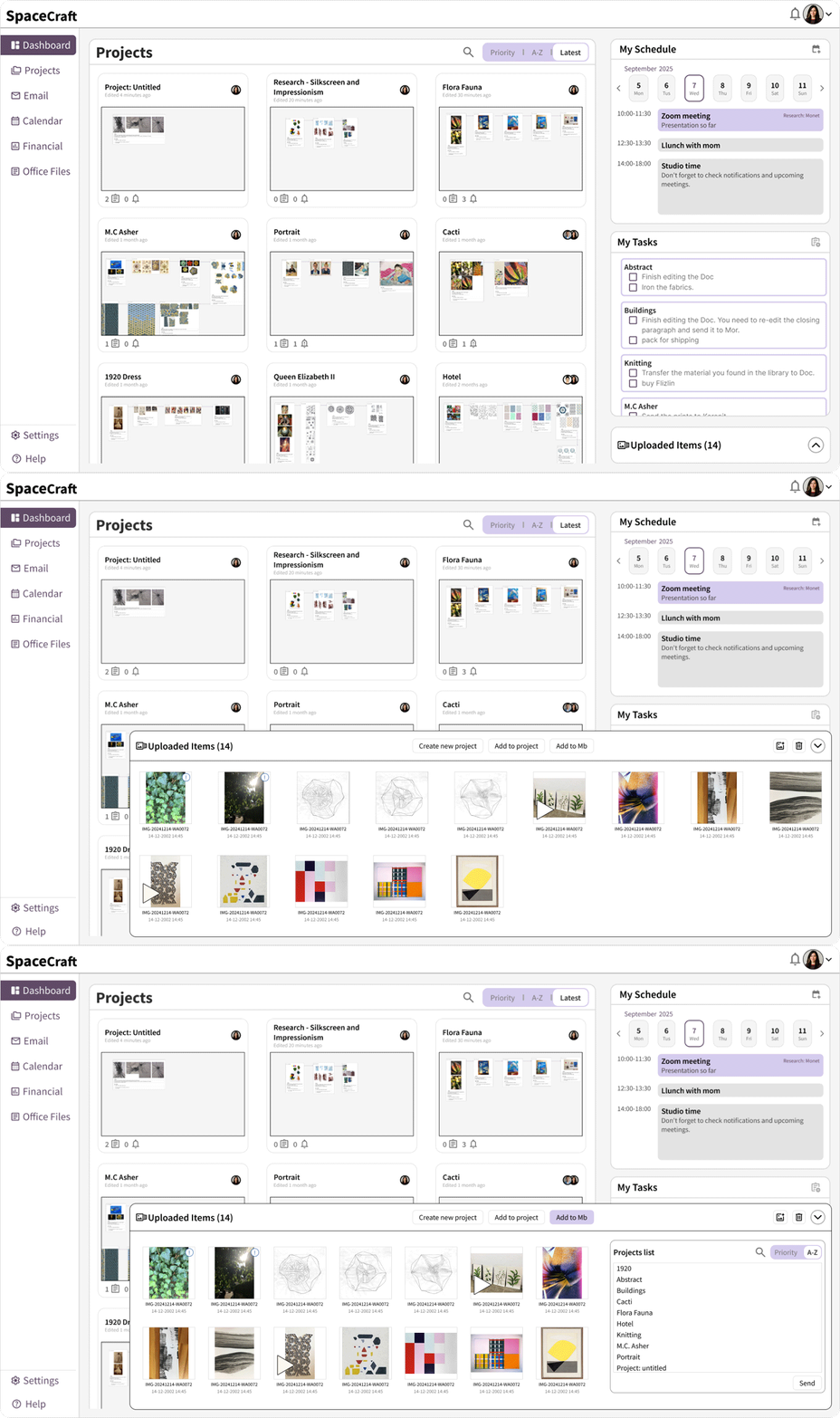
Update Project Flow
A clear timeline of the creative journey - helping designers understand where they are, what came before, and what comes next, within the bigger picture of the project.

Each project card represents a specific moment in the process. By entering a card, designers document their work through images, tasks, and personal notes - capturing the process

Mood board - Mb
Concept refinement becomes fluid, quick, clear and focused, serving as a guiding reference throughout the creative process.


AI Summarize
Accurate, ready-to-use text variations in seconds, allowing designers to adapt their research content for different needs. Once a version is finalized, it’s saved as a new file, while the original process documentation remains intact - so designers can always return to it.

Future Features
Floating Mb Panel - cross-app overlay
A floating Moodboard panel that stays available across design tools - Photoshop, Illustrator, Figma - allowing designers to open, close, or pin the MB at any moment without switching apps. Using a keyboard shortcut.
Smart File System Sync
SpaceCraft automatically mirrors your project with auto-organized project folders.
Files are saved exactly as arranged inside the app, including a “Go to file location” quick action that opens the native folder instantly.
Secondary Color System - Office
Introducing a secondary color palette dedicated to SpaceCraft’s administrative tools - making task management, billing, scheduling, and organizational views visually distinct from the creative workspace.